I’m a Linux user from Poland. I build small tools for Void Linux, mostly for my own needs, and also tinker with my homelab and DIY electronics. The newest one is KXbps, a KDE Plasma front end for xbps.
Programs
| Program | Version | Release date | Description | Code and documentation | Screenshot |
|---|---|---|---|---|---|
| kxbps | 0.12.3_1 | 2026-11-18 | A KDE Plasma front end for xbps. It runs xbps-query, xbps-install and xbps-remove and shows what they report, so there is no separate package catalog to keep in sync. The sidebar filters installed, upgradable, available, marked, explicit, orphan and held packages, and the bar at the bottom of the window carries the queue and the Apply button. License: GPL-3.0. | GitHub ↗ | 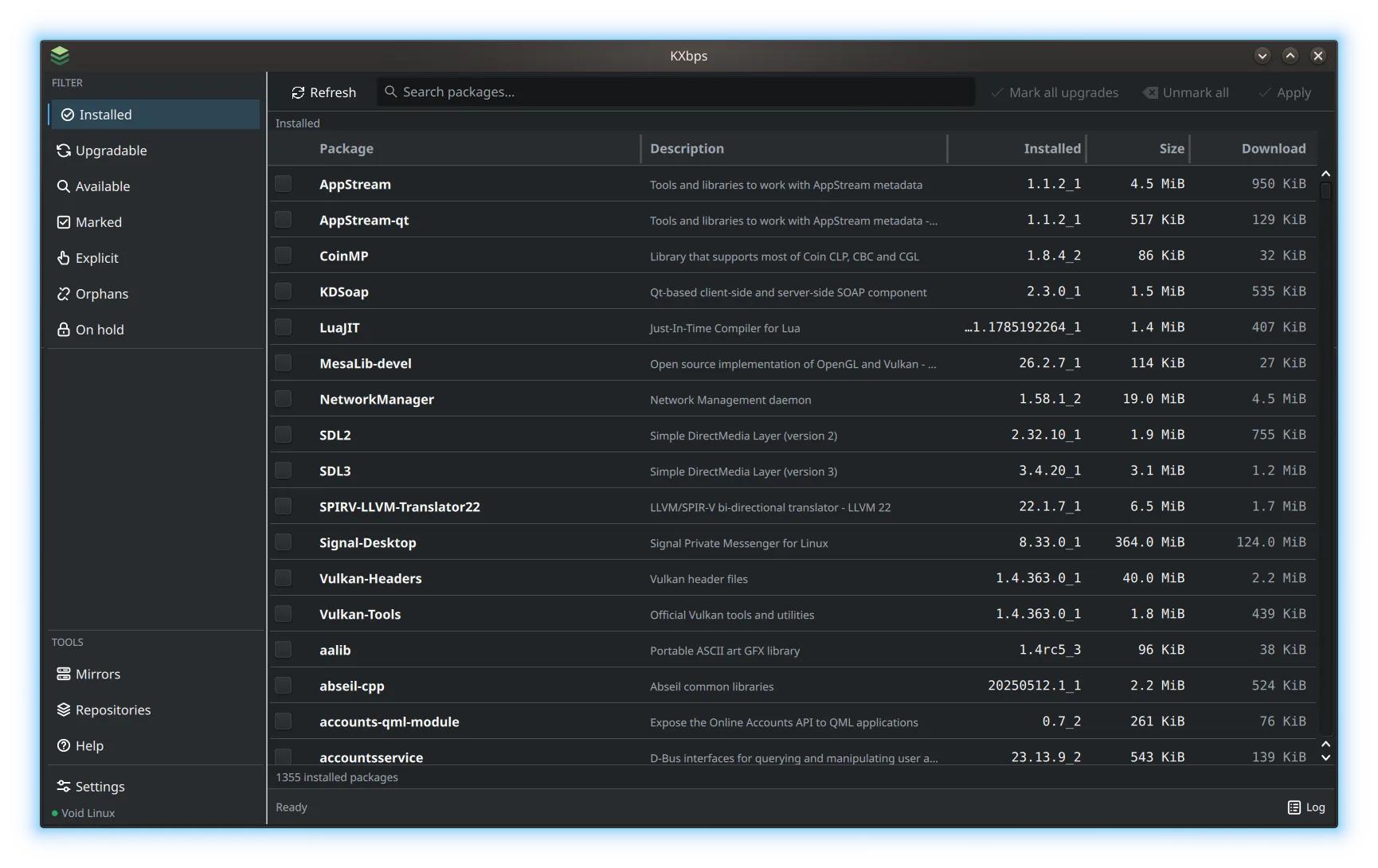 |
| sensei310-tray | 1.1.1_1 | 2026-11-14 | Controls the SteelSeries Sensei 310 mouse. The KDE tray menu lets you change DPI, polling rate, lighting and button mappings. Settings are saved as named profiles in settings.json. The tray starts even when the mouse is unplugged, greys out the menu entries that need it, and applies the active profile as soon as the mouse shows up on the USB bus. It's written in Rust and uses rivalcfg to control the mouse. License: MIT. | GitHub ↗ | 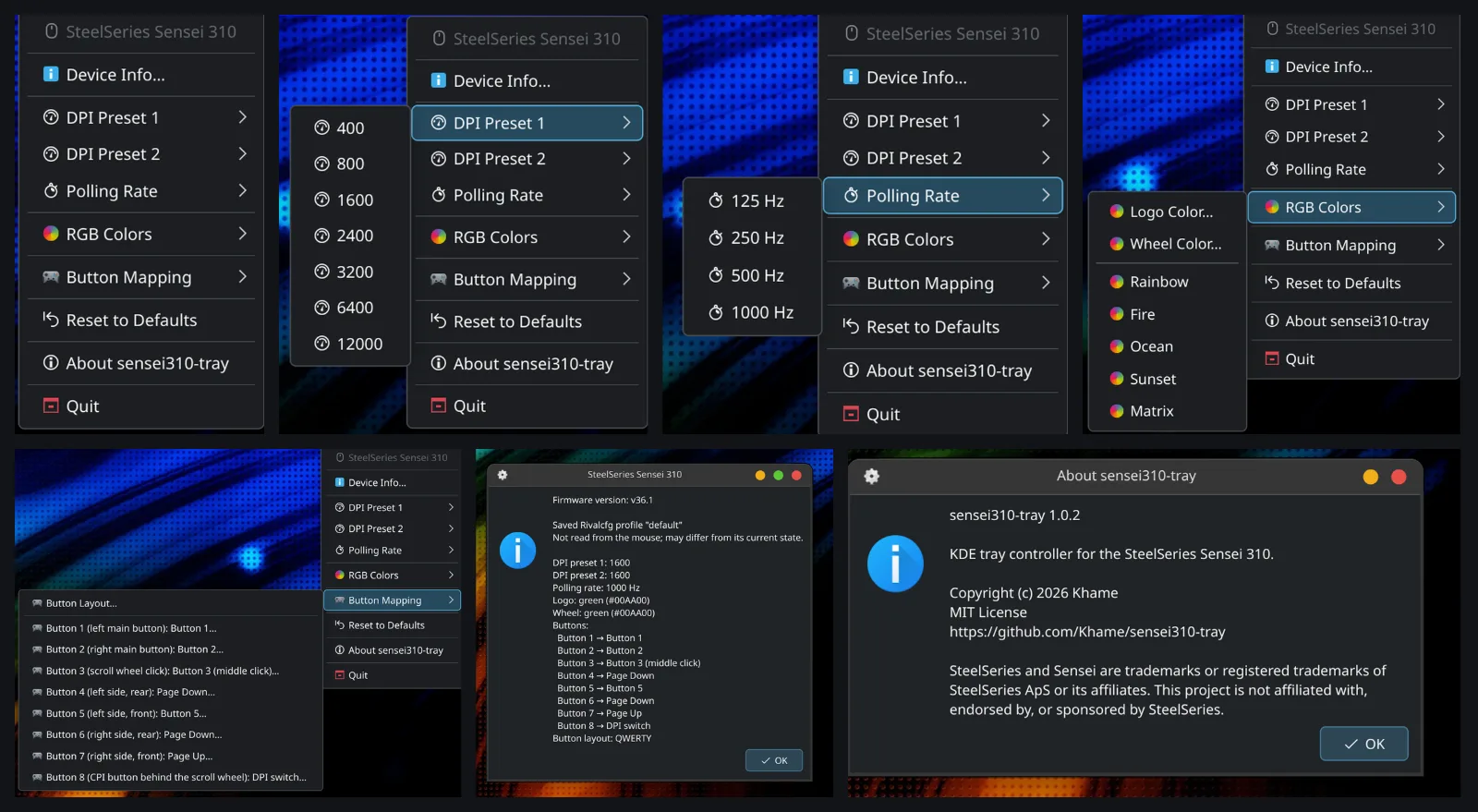 |
On Void, install it from my repository. To build it yourself, follow the README.
Packages
Programs by other authors that I build and package for Void Linux. These are not official Void Linux packages.
| Package | Version | Release date | Description | Links |
|---|---|---|---|---|
| asusctl | 6.5.0.20261116_12 | 2026-11-17 | asusctl for ASUS laptops. The asusd service runs under runit. An optional KDE Plasma widget is also available. | README ↗ Upstream ↗ |
| doublecmd | 1.2.11_2 | 2026-11-15 | Double Commander built for Void, with the Qt5 interface. | README ↗ Upstream ↗ |
| rivalcfg | 4.17.0_6 | 2026-11-07 | Configure SteelSeries mice from the terminal. The package includes udev rules for Void. | README ↗ Upstream ↗ |
Installation
Add the repository:
sudo sh -c 'echo "repository=https://khame.github.io/void-packages/" > /etc/xbps.d/10-khame.conf'
sudo xbps-install -S
35:2b:06:7c:52:04:76:b1:4a:de:a0:8b:49:9c:e2:66 XBPS will ask to import the repository key. Compare its fingerprint with the one above, then confirm. Public key: Khame-void-repo.pub.
You can work the fingerprint out yourself from the published key:
curl -fsSO https://khame.github.io/void-packages/Khame-void-repo.pub
ssh-keygen -E md5 -lf <(ssh-keygen -i -m PKCS8 -f Khame-void-repo.pub)
The result should match the fingerprint above. It shows the fingerprint and the key belong together, though both come from the same site.
Install each package separately:
sudo xbps-install asusctl
sudo xbps-install doublecmd
sudo xbps-install rivalcfg
sudo xbps-install sensei310-tray
sudo xbps-install kxbps
sensei310-tray needs KDE Plasma and kdialog. rivalcfg is installed with it. For mouse access setup, see the rivalcfg README (udev rules and the plugdev group).
To start asusd and install the Plasma widget, see the asusctl README.
Updates: sudo xbps-install -Su
Remove the repository
To stop using this repository:
sudo rm /etc/xbps.d/10-khame.conf
sudo xbps-install -S
Installed packages stay on the system. Remove them separately with sudo xbps-remove package-name.
Bugs and patches
I test on my own hardware. Your setup may be different.
If something doesn’t work, open an issue in the repository on GitHub. Patches are welcome as pull requests.